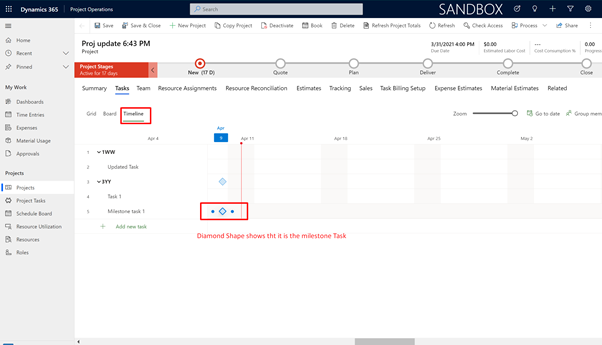
Problem Definition: We always wanted a way in which we could create a milestone in the project WBS. Milestones are the way in which we can mark the task by stating that it’s a deliverable task. How can we achieve this functionality in Project Operations?
Solution:
Please follow the steps to mark the task as milestone in Project Operations (PO) P4W.
Step 1:
Open your PO environment and navigate to Projects à Tasks Tab
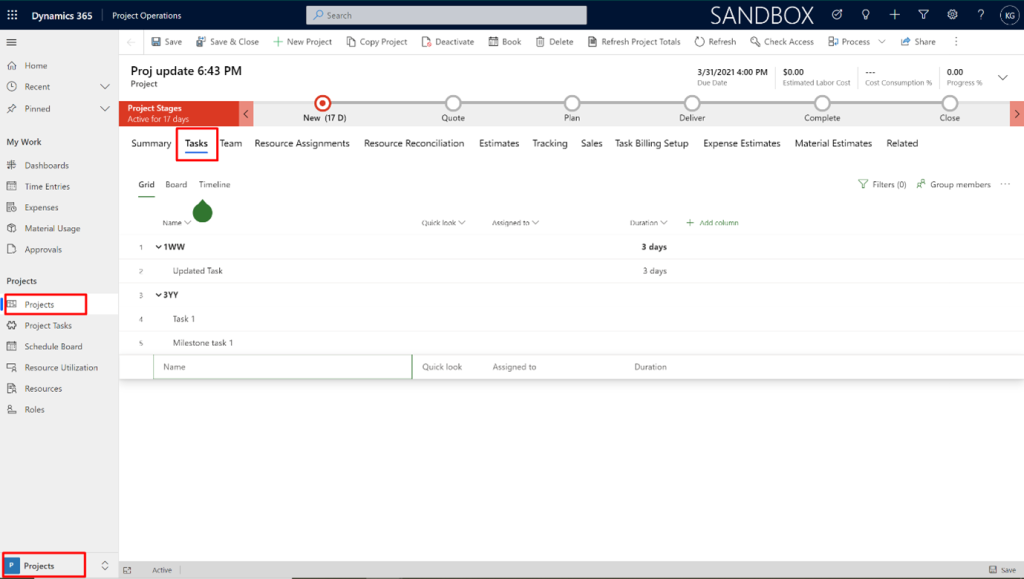
Step 2:
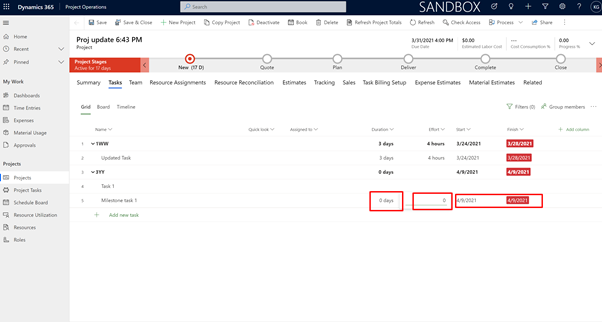
Add a task by and name, in this case I have added the task by the name “Milestone task 1”.
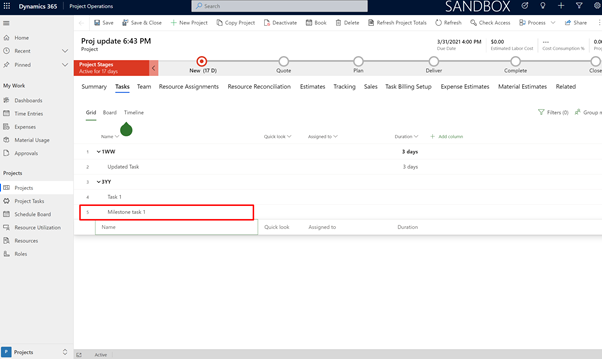
Step 3:
Make following columns visible “Effort”, “Start” and “Finish”.
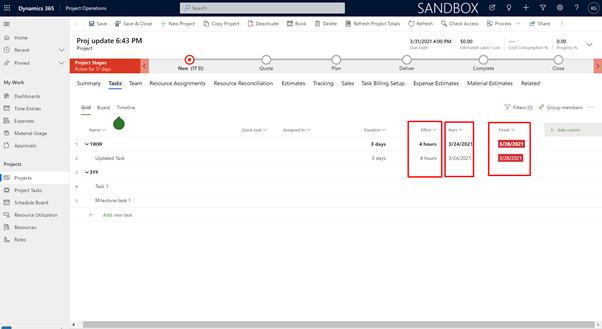
Step 3:
Make the effort to 0 and ensure the Start and Finish Dates are same. This will ensure your task is made as a milestone.
Step 4:
Now navigate to the Timeline view and you can check whether the task is created as a milestone task or not. If the Timeline shows a diamond icon, that means it is a milestone task that is created.